Features
Everything Dilys does
Dilys answers on your own phone and computer, and in Dilys Web through your trusted devices. Here is what it does, grouped by what you use it for.
Chat and models
Models on your devices
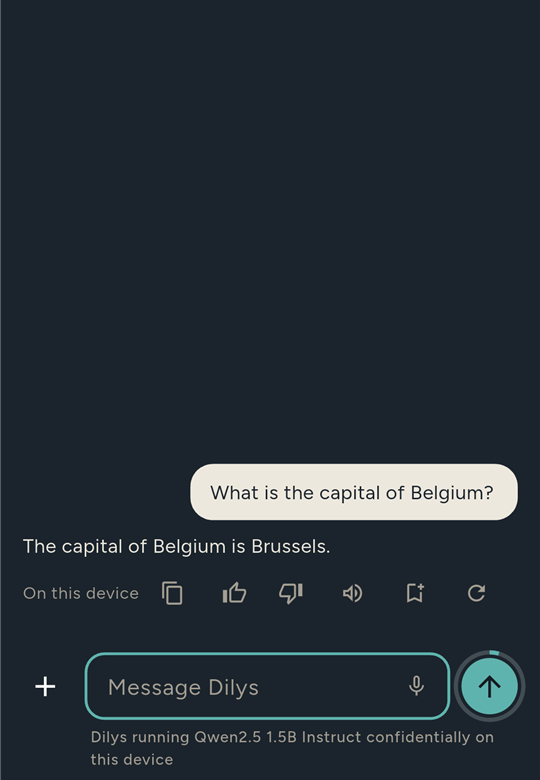
Dilys downloads a model that suits your device and answers on it, also without a network.
The right model for each message
With the default “Quality” setting, Dilys picks for every message the smartest model that runs faster than you read, on this device or on one of your trusted devices.
Confidential or External
One switch per chat. Confidential: only your own and your trusted devices answer. External: a frontier model answers, paid with credits.
Projects
Keep related chats together in a project, with its own files and instructions that go with every chat in it.
About you
An optional short profile: what to call you, your languages, your work and how you like your answers. It syncs end to end like your chats.
Privacy and anonymization
Anonymized before it leaves
Before a message goes to an External model, Dilys replaces names and other details with placeholders on your device, and puts the real values back in the answer.
Review before sending
On by default: you review the replacements before the first message, before a document is sent for the first time, and whenever new names appear. You can add or undo a replacement.
Never replace
Words that aren’t confidential, such as your own product names, go on a list that is never replaced. Anonymization can be turned off, unless your organization requires it.
Encrypted on your devices
The chat database on each device is encrypted, whether Dilys is open or closed.
No content in logs
Dilys never logs the content of prompts, answers, attachments or keys.
Devices and sync
Trusted devices
Add your other phones, computers and browsers. You approve each new device on a device you already trust, by comparing a code.
Your computer’s model on your phone
Your phone can use the stronger model of your computer, end-to-end encrypted.
End-to-end encrypted
Trusted devices talk end-to-end encrypted, directly where they can and through an encrypted relay where they can’t.
Encrypted sync
Your chats are on every device you use and in an encrypted cloud copy that Dilys can’t read. Turn the cloud copy off for any chat; a recovery key from setup protects your access.
Dilys Web
Use Dilys in any modern browser, with your trusted devices answering. On a computer that isn’t yours, nothing is kept after you sign out or close the tab.
Documents and files
Office files and PDFs
Attach Word, Excel, PowerPoint and PDF files, or a scanned page that Dilys reads on your devices.
Dropbox and OneDrive
Bring files in from Dropbox and OneDrive, or add a web page by its address.
A library per project
Each project keeps its own library: its files, transcripts and recordings.
Voice and meetings
Dictation
Dictate your messages instead of typing them.
Read aloud
Have answers read aloud by your device’s own voice.
Meetings and minutes
Record a meeting to get a transcript with speakers and minutes, made on your devices. Teams, Zoom and Meet transcripts can be imported.
Web search
Search in your browser (being trialled)
Being trialled: in a Confidential chat, Dilys can propose search words that you edit, and open your browser with them. Bring a page back with “Add URL”; the chat stays Confidential.
Search in Dilys
When a question needs the web, Dilys can search it for you. The search words are anonymized on your device first, and your device reads the pages it finds.
References you can check
When an answer from the frontier model names or cites sources, References under the answer lists them, with links to the pages it cites.
Organizations
For firms bound by professional secrecy, and any organization that wants its content on its own devices.
A signed policy
Administrators sign a policy that every member’s device enforces. Members can only make it stricter.
Work and personal apart
A work account and a personal account side by side on one device, with separate keys and data.
Recovery held by the firm
The organization’s own recovery key, kept by the firm. Dilys never holds it.
Device controls
The device’s own lock, a lock after too long offline, and a wipe of a removed device.
A register of what left
A record of every request that left the trusted environment, never its content.
Matters and retention
Matters with stricter rules, retention, legal hold, deletion certificates and export.
Administration
Administrators invite members by email, confirm each new member, and approve and remove devices from the Organization screen. Password accounts use a second step with an authenticator app.
Credits
Free on your devices
Answers from your own and your trusted devices cost nothing per message. There is no subscription.
Credits for External
External answers use credits: US$1 buys 100 credits, in amounts of $5, $10, $20 or $50. A request’s price depends on the model and how much text it handles.
Balance and limits
Dilys shows your balance, and you can set a monthly limit. Organizations share one balance, with limits set by their administrators.
Buying credits
Credits are bought in Dilys Web and in the Windows app, by card through Stripe. The Android app shows and uses your balance.