How Dilys works
Dilys answers on your own devices first. When you want a stronger model, you choose External for that chat, and Dilys anonymizes what it sends.
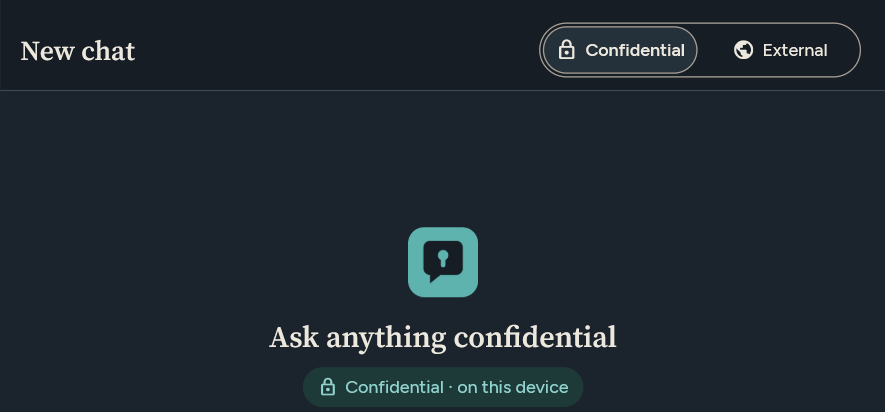
Confidential: your own devices
1
On this device
On first launch Dilys downloads a model that suits your device. From then on it answers without a network. For every message it picks the smartest model that runs faster than you read.
2
On your trusted devices
Add your other phones, computers and browsers. You approve each new device on a device you already trust by comparing a code. Your phone can then use your computer’s stronger model.
3
End-to-end encrypted
Trusted devices talk end-to-end encrypted, directly where they can and through an encrypted relay where they can’t. Dilys’s router introduces them and sees who, which device and when, never what you write.
How your devices connect
External: a stronger model when you choose it
Switch a chat to External and a frontier model answers it. Dilys first replaces names and other details with placeholders on your device, then restores them in the answer. You can turn anonymization off, unless your organization requires it.
A chat that has used an External model stays outside your trusted environment. External answers are paid with credits; Confidential answers are free.
Draft a reply to Marie Dubois about the lease of the Ghent office.
Draft a reply to [person 1] about the lease of the [place 1] office.
Dear Marie Dubois, thank you for your message about the Ghent office…
An illustration with made-up names; the app shows its own placeholders.
Confidential and External side by side
| Question | Confidential | External |
|---|---|---|
| Who answers | Your own device or your trusted devices | A frontier model |
| What leaves your devices | Nothing, apart from the end-to-end encrypted cloud copy if you keep sync on | Anonymized text, through Dilys’s gateway |
| Without a network | Yes, in the Android and Windows apps | No |
| Names and details | Stay as you wrote them | Replaced with placeholders by default |
| Cost | Free | Credits |
Everything you need from an assistant
Encrypted sync
Your chats are kept on every device you use and in an encrypted cloud copy that Dilys can’t read. Turn the cloud copy off for any chat. A recovery key from setup protects your access.
Your documents
Attach Word, Excel, PowerPoint and PDF files, or a scanned page that Dilys reads on your devices. Bring files in from Dropbox and OneDrive, or add a web page by its address.
Sources you can check
When an answer from the frontier model names or cites sources, References under the answer lists them, with links to the pages it cites, so you can check each one. Dilys gives no legal advice.
Voice and meetings
Dictate, have answers read aloud by your device’s own voice, and record a meeting to get a transcript with speakers and minutes, made on your devices. Teams, Zoom and Meet transcripts can be imported.
Dilys Web
Dilys Web works in any modern browser. It runs no chat model itself: your trusted devices answer, end-to-end encrypted. On a computer that isn’t yours, nothing is kept after you sign out or close the tab.
The installed apps remain the more secure way to use Dilys, because a browser loads its code each time you open it.